
Manus AI
BUTTERFLY EFFECT PTE. LTD.Productivity
4.63.92K Reviews
- Version
- 26.14.1
- Installs
- 10.00M
- Age Rating
- Everyone
Screenshots
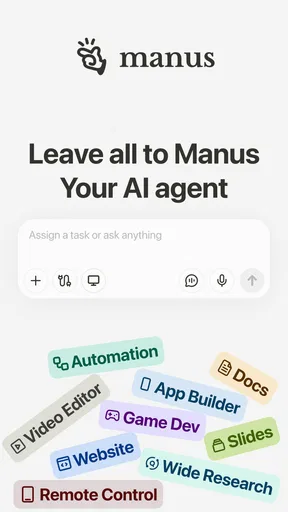




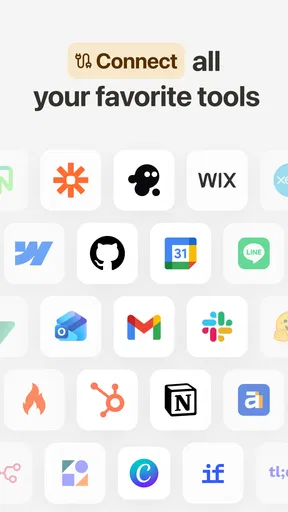
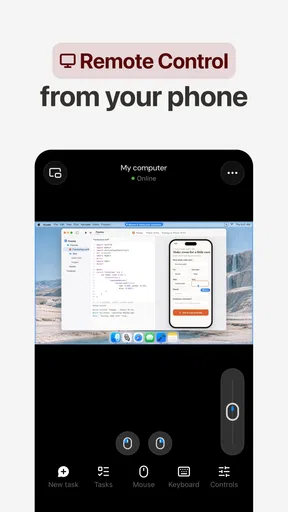
Our Review of Manus AI
 Analysis by Appyee
I came away from Manus AI with a mixed but useful impression: it is an appealing name for an AI assistant, yet the experience described as a writing app needs a closer look before I would recommend it as an everyday writing home. If you want help turning a rough thought into a more organized request or draft, an AI tool can be handy. If you need dependable document management, collaboration, or a polished writing workspace, I would first check that the app actually supports the specific tasks you have in mind.
That distinction matters because the app’s identity is broader than a conventional notes editor. Manus AI is a free productivity app from BUTTERFLY EFFECT PTE. LTD., with a 4.6 average from around 225,000 ratings and over a million installs. It is suitable for Everyone, and its current version is 1.71.2. Those figures suggest substantial interest, but popularity alone does not tell me whether an AI assistant fits your workflow. I would treat it as a tool to test on a small, low-stakes task first, rather than immediately moving important projects into it.
What to expect from an AI-first productivity app
The main appeal of an assistant in this category is the chance to move from a vague intention to a more actionable result. Instead of opening a blank page and deciding how to begin, you can frame what you need in ordinary language and use the response as a starting point. That can be helpful for planning a study session, outlining a short piece, or breaking a larger task into manageable steps. The useful outcome is not necessarily a finished answer; it may simply be a clearer next move.
For example, imagine you have a busy afternoon and a handful of errands, a work message to draft, and notes for a class to review. You could describe the situation and ask for a sensible order of tasks or a first-pass outline for the message. I would still check the result against your actual commitments and rewrite anything that does not sound like you. The benefit is reducing the effort of getting started, not handing over judgment.
Where AI can help, and where your input matters
AI assistance works best when the request includes useful context and a clear boundary. “Help me write this” leaves too much open; explaining who will read it, what tone you want, and what points must stay can produce a more relevant draft. I also find it safer to ask for one stage at a time: first organize the ideas, then improve the structure, and only then polish the wording. That gives you more opportunities to catch a misunderstanding before it spreads through the whole piece.
A practical tip is to keep source material and instructions separate in your own prompt. For instance, label the background as notes, state the intended audience, and specify what the assistant should not change. This is especially useful for a study summary or a meeting follow-up, where a confident-sounding mistake could be more troublesome than an awkward sentence. Treat generated text as a draft to review, not as evidence that its details are correct.
Another useful habit is to save a short record of what you asked for when the answer matters. If you are comparing plans or preparing a message that will be shared, keeping the original request alongside the response makes it easier to understand why the assistant took a particular direction. It also helps you reproduce a useful result later, without assuming the app will interpret a vague follow-up exactly as you intended.
The trade-off: convenience versus control
An AI assistant can make early drafting feel less intimidating, but it also adds a layer between your thought and your finished work. The assistant may organize ideas in a way that sounds smooth while missing the nuance that matters to you. That is why I would be cautious about using generated text unchanged for personal statements, sensitive messages, academic work, or anything involving facts that need checking. The more personal or consequential the writing, the more carefully I would revise it.
There is also a difference between an AI helper and a traditional writing app. A standard notes app is usually better when all you want is a quick, predictable place to capture a thought. A word processor is a stronger fit for detailed formatting and document control. Manus AI is worth considering when you want assistance with the thinking or drafting stage, but I would not assume it replaces those tools. Keeping a separate copy of important work is a sensible precaution whenever you are trying a new workflow.
Cost is another point to weigh before building a habit around it. The app is free to download, while in-app purchases range from about $19 to $1,000 per item. That is a broad span, so I would check the purchase details in the app before committing to anything and decide in advance what level of spending makes sense for your use. A casual user who only wants occasional help may have different needs from someone relying on an AI tool throughout the working day.
Who is likely to get the most from it
I would point students, independent writers, and busy people with recurring planning or drafting chores toward an initial trial, provided they are comfortable reviewing AI output. It may be most useful for someone who already knows what they want to accomplish but loses time deciding how to begin. For a student, that could mean turning class notes into a study outline before checking the outline against the original material. For a freelancer, it might mean sketching a first version of a client update and then editing it to reflect the real project.
It is less appealing if you want a quiet, reliable notebook with no AI layer, or if your work depends on detailed formatting and established document tools. It may also frustrate people who expect an assistant to infer unstated preferences or produce final, publication-ready writing without review. If privacy, data handling, or integration with a particular workplace system is decisive for you, read the app’s current terms and settings before putting sensitive material into it. That is a general precaution for AI services, not a reason to assume anything about this app’s policies.
Before using it for a substantial project, I would test the same small task in Manus AI and in the tool you already use. Compare not just the wording, but how much editing each result requires, how easy it is to retrieve your work, and whether the assistant follows constraints you care about. A short email or a low-stakes outline is a better trial than a confidential report. This gives you a concrete sense of whether the convenience is worth adding another app to your routine.
A measured recommendation
My recommendation is to approach Manus AI as a possible assistant for getting unstuck, not as an unquestioned authority or a guaranteed replacement for your existing writing setup. Its productivity focus and AI identity make it most interesting when you have a clear task but need help shaping the first steps. The app is free to start, has an Everyone age rating, and has attracted a large audience, but those points do not remove the need to check whether its actual tools suit your own requirements.
If you decide to try it, begin with a task that is easy to evaluate: ask for an outline from notes you already understand, or request a first draft of a routine message. Give specific instructions, inspect the response for errors and tone, and keep your original material. If that process saves time without creating more editing work, the app may earn a place in your routine. If you prefer direct control, simple note-taking, or a conventional document editor, sticking with those familiar alternatives may be the better choice.
When you first open Manus AI, you’re greeted with a sleek, minimalist interface that’s both welcoming and easy to navigate. The sign-up process is a breeze, just a couple of taps and you’re in. What I really appreciate is how intuitive everything feels right from the get-go. You don’t need to be tech-savvy to find your way around.
Once you’re set up, you’ll notice a variety of features at your fingertips. The app is designed to help with everything from brainstorming to composing full-fledged articles. Whether you’re experiencing writer’s block or just need a little inspiration, Manus AI has you covered.
Features That Stand Out
One of the most impressive features is the app’s AI-powered writing assistant. It’s like having a little helper on your shoulder, offering suggestions and ideas just when you need them. The AI isn’t just about correcting grammar or spelling; it’s more about enhancing your writing style and flow. I tried it out with a few of my drafts, and the suggestions were spot on!
Another cool feature is the brainstorming tool. If you’re like me and sometimes struggle to find the right topic or angle, this tool can be a lifesaver. Just pop in a few keywords or ideas, and the app generates a list of potential topics and outlines. It’s like magic!
The app also includes a distraction-free writing mode. This is perfect for those moments when you need to focus and get into the zone. The interface fades away, leaving you with just your words and thoughts. It’s incredibly calming and productive.
Why Manus AI is Worth a Try
If you’re wondering why you should give Manus AI a shot, let me break it down. Firstly, it’s all about enhancing your writing experience. The app doesn’t just help you write; it helps you write better. The AI learns from your style and preferences, offering personalized feedback and suggestions.
Secondly, the app is perfect for collaboration. You can easily share your drafts with others, get feedback, or even co-write with friends or colleagues. It’s a fantastic tool for anyone working on group projects or needing a second pair of eyes on their work.
Lastly, the app offers seamless integration with other tools. Whether you’re working on your phone, tablet, or computer, Manus AI syncs across devices, ensuring you always have access to your projects, no matter where you are. It’s all about convenience and efficiency.
Final Thoughts
In a world where we’re constantly bombarded with information and distractions, having a tool like Manus AI is a game-changer. It’s not just an app; it’s a companion for anyone who loves to write or needs a little help getting started.
So, if you’re ready to up your writing game, why not give Manus AI a try? Whether you’re crafting the next great novel or just jotting down your thoughts, this app is here to help. Happy writing!
Verdict
Strengths of Manus AI
- Streamlines note-taking with AI assistance.
- Supports multiple languages efficiently.
- Integrates seamlessly with cloud services.
- User-friendly interface with intuitive design.
- Offers offline functionality for remote access.
Limitations of Manus AI
- Limited customization options for templates.
- Occasional glitches with speech recognition.
- Premium features locked behind a paywall.
- Requires a stable internet for best performance.
- Lacks collaboration tools for team projects.
Similar Picks in This Category
View All
Google Calendar
Google LLC4.6

Google Drive
Google LLC4.3

Google Assistant
Google LLC3.9

Microsoft OneDrive
Microsoft Corporation4.6

Samsung Calendar
Samsung Electronics Co., Ltd.4.1

Microsoft OneNote: Save Notes
Microsoft Corporation4.6
Frequently Asked Questions
What is Manus AI and what does it do?
Manus AI is an innovative application designed to assist users with writing tasks through the use of advanced artificial intelligence. It offers features such as grammar checking, style suggestions, and content generation, making it an ideal tool for writers, students, and professionals looking to enhance their writing quality.
Is Manus AI available on both Android and iOS platforms?
Yes, Manus AI is available for download on both Android and iOS platforms. This ensures that users across different devices can take advantage of its powerful writing assistance features, whether they are using a smartphone or a tablet.
Does Manus AI require an internet connection to function?
While some basic features of Manus AI may work offline, the full capabilities, including real-time suggestions and content generation, require an internet connection. This ensures the app can access the latest AI models and updates for optimal performance.
Are there any subscription fees for using Manus AI?
Manus AI offers both free and premium versions. The free version includes basic features, while the premium version unlocks advanced capabilities such as comprehensive grammar checks and enhanced AI-generated content. Subscription fees are charged monthly or annually, providing flexibility for users.
How does Manus AI ensure user data privacy?
Manus AI prioritizes user privacy by implementing strong encryption and data protection measures. User data is stored securely and is not shared with third parties without consent. Additionally, the app complies with global data protection regulations to ensure user information is handled responsibly.
